

How SAP Material Data Cleansing Helps Maintenance Managers Prevent Production Delays
SAP material data cleansing plays a critical role in preventing production delays in oil and gas operations. When material master data in SAP is inaccurate, incomplete, or duplicated, even well-planned preventive maintenance schedules can fail.
Production disruptions often begin inside the system not on the shop floor. Missing technical specifications, duplicate spare part codes, inconsistent units of measure, or incorrect classifications create confusion during maintenance and procurement cycles.
By implementing SAP material data cleansing, organizations eliminate duplicate materials, standardize descriptions, enrich technical attributes, and enforce data governance. The result is faster spare part identification, accurate inventory visibility, reduced emergency procurement, and improved production continuity.
What Is SAP Data Material Cleansing?
SAP material data cleansing is the structured process of identifying, correcting, standardizing, and enriching material master data within SAP or integrated ERP systems.
Key objectives include:
- Eliminating duplicate material codes
- Standardizing material descriptions
- Correcting units of measure
- Completing technical specifications
- Validating vendor and manufacturer details
- Aligning materials with industry classification standards
For maintenance managers, this translates into reliable access to the right spare part at the right time, every time. PROSOL and PROSOL Swift enhance this process by automating cleansing, deduplication, and classification while seamlessly integrating with SAP, Oracle, or Maximo environments.
Why Poor SAP Material Data Causes Production Delays
Many operational delays are blamed on equipment failure or vendor lead times, but the root cause often lies in poor material master data.
- Duplicate Materials: A single bearing may exist under multiple material codes: Bearing 6205 SKF, SKF Bearing 6205, 6205 Deep Groove Bearing. Duplicate entries create confusion in warehouses, inflate procurement costs, and delay maintenance responses. Companies like Exide have reduced inventory costs by 5–7% through eliminating duplicates.
- Missing Technical Attributes: During critical equipment failure, technicians require exact size, material grade, pressure ratings, and compatibility details. Missing data slows emergency repairs, increasing downtime in high-risk oil and gas environments.
- Misclassified Spares: Without structured classification like UNSPSC or internal taxonomies, critical spares may be miscategorized, leading to stockouts or overstocking. Maintenance schedules and production timelines are impacted, increasing reactive firefighting instead of predictable operations.
SAP Material Cleansing solves these issues, ensuring clean, enriched, and actionable material data for maintenance teams.

If duplicates, missing attributes, or misclassified spares are slowing your teams, it’s time to act.
Step-by-Step SAP Material Data Cleansing Approach
Effective SAP Material Cleansing is more than removing duplicates; it’s a systematic, technical process designed to ensure that your SAP ERP material master data is accurate, standardized, and actionable for maintenance and production operations. Below is a detailed, maintenance-focused roadmap:
Step 1: SAP Material Data Health Assessment
Before any cleansing, perform a comprehensive audit of SAP material master data. This includes:
- Duplicate detection across SAP tables (MARA, MAKT, MBEW, MAST) using automated scripts or data profiling tools.
- Attribute completeness checks for mandatory fields like unit of measure, material type, plant assignment, and storage location.
- Classification and categorization gaps using SAP classification (CLAS) tables, including UNSPSC alignment or internal taxonomies.
- Vendor and manufacturer validation by reconciling LFA1 (vendor master) and MARA/BOM data.
Technical Insight:
- Use SAP standard reports (MM60, MM03) and ABAP-based queries to identify inconsistencies.
- Leverage PROSOL’s AI-driven data profiling engine to automatically highlight duplicates, missing attributes, and incorrect classifications.
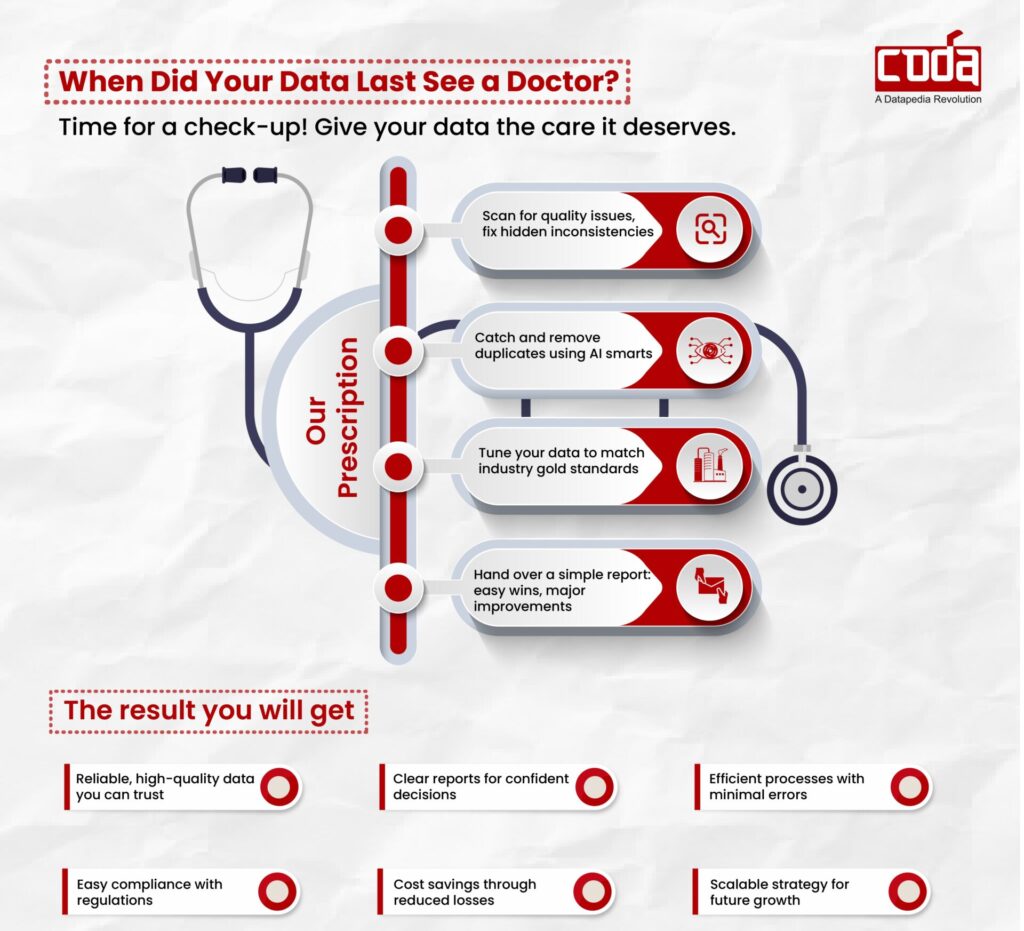
Step 2: Define SAP Material Standards and Naming Conventions
Establish SAP-specific naming and attribute standards to ensure uniformity across all plants and modules:
- Material description standardization: Use structured templates such as Equipment Type + Size + Material Grade + Specification + Manufacturer.
- Unit of Measure (UoM) alignment: Ensure consistency across ERP, SAP MM, and PM modules to prevent conversion errors.
- Mandatory field enforcement: Set technical attributes like voltage, pressure rating, material class, and BOM relevance as required fields.
- Classification rules mapping: Align SAP material groups, plant-specific material types, and industry taxonomies for optimized search and reporting.
Technical Insight:
- Configure SAP domain/value checks and use data validation rules in MARA, MBEW, and MAST tables.
- PROSOL integrates with SAP to enforce these standards automatically during the cleansing workflow.
Step 3: AI-Powered Deduplication and Record Standardization
This is the core cleansing phase:
- Duplicate consolidation: Merge duplicate entries in SAP MARA and related tables without breaking transactional links.
- Obsolete material archiving: Flag inactive or obsolete material codes using MCHB and MBEW data.
- Automated description standardization: Normalize naming formats across plants using AI similarity detection.
- Vendor validation: Cross-check vendor master data (LFA1/LFB1) for accuracy, ensuring correct procurement alignment.
PROSOL Integration:
- PROSOL leverages machine learning to detect near-duplicate materials based on semantic similarity in SAP.
- PROSOL Swift provides a rapid-deployment alternative for mid-sized plants, cleaning hundreds of thousands of records in days instead of months.
Success Story:
Sun Pharma in India achieved high data accuracy and reduced duplicates by leveraging PROSOL’s data cleansing, improving spare parts retrieval and preventive maintenance execution.

Streamline your SAP Material Cleansing today with PROSOL
Step 4: Enrich Technical Specifications
Cleansing is incomplete without data enrichment:
- Add missing technical attributes like pressure ratings, voltage levels, material grade, and safety certifications into SAP tables (MARA, MBEW, and PM-specific fields).
- Validate manufacturer part numbers (MPNs) and link to material master using BAPI interfaces.
- Ensure BOM (Bill of Materials) integrity by cross-referencing MAST and STPO tables for maintenance-critical assemblies.
Operational Impact:
- Reduces incorrect part installation risks.
- Enables maintenance technicians to locate compatible spares quickly during emergency repairs.
Step 5: Classification Alignment and Critical Spare Optimization
Proper material classification is vital for inventory and maintenance planning:
- Align SAP material groups and classes with UNSPSC standards or internal criticality frameworks.
- Identify critical spares and assign safety stock levels in MARD (storage location) and MBEW (valuation) tables.
- Optimize reorder points and procurement triggers in SAP MM and PM modules.
Technical Insight:
- PROSOL automates classification mapping and flags misclassified materials in SAP for immediate correction.
- This reduces stockouts of critical spares and ensures preventive maintenance schedules are met.
Step 6: Governance, Continuous Monitoring, and SAP Workflow Integration
Clean data must remain clean. Governance ensures sustainability:
- Implement role-based approvals for all material master changes in SAP.
- Use SAP workflow rules (SWDD) and PROSOL’s embedded validation engine to enforce data quality policies.
- Track data quality KPIs such as duplicate percentage, attribute completeness, and classification accuracy.
- Schedule periodic audits and cleansing cycles to prevent regression.
PROSOL & PROSOL Swift:
- Integrates seamlessly with SAP ECC and S/4HANA.
- Provides dashboards to monitor data quality, alerting maintenance and procurement teams to discrepancies before they impact production.
Optional Table Section: SAP Material Cleansing Impact
| Area of Focus | Before SAP Material Cleansing | After SAP Material Cleansing with PROSOL | Operational Benefit |
|---|---|---|---|
| Material Data Accuracy | Duplicates, missing specs | Consolidated, complete, validated | Reduced maintenance errors |
| Spare Part Search | Slow, inaccurate | Standardized naming + enriched specs | Faster retrieval, lower MTTR |
| Inventory Visibility | Split stock, inaccurate levels | Real-time accurate stock in SAP | Better stock utilization |
| Procurement Efficiency | Vendor errors, delays | Verified vendor/manufacturer data | Faster emergency procurement |
| BOM & Maintenance Planning | Incorrect or missing BOM entries | Clean BOM and aligned attributes | Predictable preventive maintenance |
| Downtime Risk | Extended shutdowns | Reliable spare availability | Minimized production delays |
| Cost Control | Overstocking & emergency buys | Optimized inventory levels | Reduced operational cost |
Business Benefits of SAP Material Data Cleansing for Maintenance and Inventory Performance
Implementing SAP Material Cleansing is not just a data exercise, it delivers measurable operational and financial outcomes. Once duplicates are eliminated, descriptions are standardized, and attributes are enriched, the impact becomes visible across maintenance, procurement, and inventory functions.
1. Reduced Maintenance Downtime
Clean and searchable material master data allows maintenance teams to quickly identify the correct spare parts. This reduces Mean Time to Repair (MTTR) and prevents extended production shutdowns.
2. Optimized Inventory Levels
Consolidated material codes eliminate fragmented stock across plants. This improves stock visibility, reduces overstocking, and minimizes emergency procurement costs.
3. Faster Procurement Cycles
Accurate vendor and manufacturer data streamlines purchase requisitions and approvals. Procurement teams spend less time validating materials and more time negotiating value.
4. Improved Reporting and Analytics
Standardized classification and complete attributes enhance SAP reporting accuracy. Decision-makers gain clearer insights into spend analysis, spare part criticality, and consumption trends.
5. Stronger Data Governance
With role-based workflows and validation rules in place, new material creation follows defined standards. This ensures long-term data quality and prevents regression into duplicate or inconsistent records.
Final Thoughts
SAP Material Cleansing is not just a data cleanup task; it’s a production protection strategy. By removing duplicates, completing specifications, aligning classification, and embedding governance:
- Maintenance teams can locate the correct spare quickly
- Procurement can act faster during emergencies
- Inventory planning becomes predictable
- Downtime is minimized, saving millions in potential losses
PROSOL and PROSOL Swift ensure that SAP material data is accurate, standardized, and continuously monitored, turning your SAP system into a true enabler of maintenance efficiency and production reliability.
Explore how SAP Material Cleansing can safeguard your production schedules.
Frequently Asked Questions (FAQ)
1. What is SAP Material Cleansing?
SAP Material Cleansing is the process of removing duplicates, standardizing descriptions, enriching technical attributes, and governing material master data in SAP. It ensures accurate, reliable data for procurement, inventory, and maintenance operations.
2. How does SAP Material Cleansing prevent production delays?
It improves spare part search, eliminates duplicate codes, validates technical specs, and aligns vendor data. This reduces repair time, avoids emergency purchases, and minimizes downtime.
3. Can PROSOL integrate with SAP?
Yes. PROSOL integrates directly with SAP ECC and S/4HANA to cleanse, standardize, and govern material master data without disrupting transactions. It also supports Oracle and Maximo environments.
4. How fast can PROSOL Swift cleanse SAP data?
PROSOL Swift can clean and standardize hundreds of thousands of material records within weeks, depending on data volume and complexity ideal before ERP upgrades or S/4HANA migrations
5. Why standardize material descriptions in SAP?
Standardized descriptions improve search accuracy, reduce duplicate creation, enhance inventory visibility, and enable better procurement and reporting decisions.